
Download I-Doser Free for Windows – binaural beats, mood enhancement, brainwave synchronization, audio therapy, DRG files
Overview
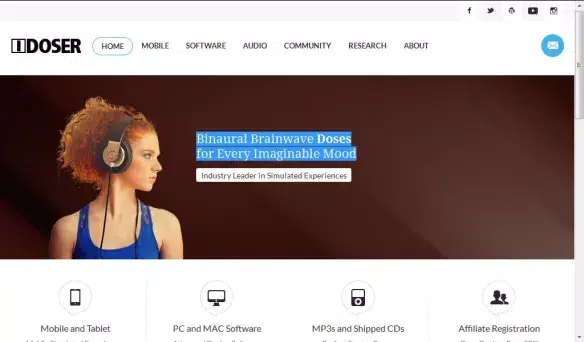
The I-Doser Free for Windows application presents a specialized audio experience centered around binaural beats, a technique purported to influence brainwave patterns and align mood with specific mental states. Designed for users interested in alternative methods of mental and emotional modulation, the app delivers two free doses—“Alcohol” and “Content”—each engineered to produce distinct psychological effects through rhythmic audio stimulation. While the software functions as a media player, its scope is narrow, supporting only DRG files, which are proprietary audio formats tailored for binaural beat delivery.
This limitation ensures a focused user experience but restricts flexibility. The app’s primary purpose is to serve as a tool for experimentation with audio-based brainwave entrainment, appealing to individuals exploring mindfulness, relaxation, or cognitive enhancement. The developer, I-Doser, positions the program as part of a broader wellness and curiosity-driven ecosystem.
Although the developer did not provide additional technical details, the app’s niche functionality suggests it targets users with an interest in neuroscience, biohacking, or self-experimentation. Real-world use cases include pre-sleep relaxation, focus enhancement, or mood adjustment during work or study. Despite its limited scope, the app holds a unique place in the audio therapy segment by offering a dedicated platform for a specific form of auditory intervention.
Key Features & Functionality
- Binaural Beat Doses: The core functionality lies in delivering pre-designed audio doses that use binaural beat frequencies to influence brainwave activity. Each dose is calibrated to guide the user’s mental state toward a specific outcome, such as relaxation or alertness.
- DRG File Support Only: The application exclusively plays DRG files, a format developed specifically for I-Doser’s ecosystem. This ensures audio integrity but prevents playback of standard audio formats like MP3 or WAV.
- Community Integration: Users can access the I-Doser online community directly through the app, enabling sharing of experiences, dose feedback, and discussions about the perceived effects of different audio sessions.
- Customizable Skins: The app includes three distinct visual skins, allowing users to personalize the media player’s appearance to match their aesthetic preferences.
- Curiosity-Driven Design: While the app offers limited functionality, its novelty lies in its experimental nature, appealing to users who are intrigued by the science and anecdotal claims surrounding brainwave entrainment.
Each feature is designed to enhance the user’s engagement with the binaural beat experience. For instance, the “Alcohol” dose may be used during social or creative activities to simulate a relaxed state, while “Content” could be applied during study sessions to promote mental clarity. The DRG-only restriction ensures consistent audio quality and delivery, though it limits user flexibility. The integration with the I-Doser community fosters a sense of shared exploration, making the experience more interactive. Custom skins add a layer of personalization, improving user satisfaction despite the app’s minimal feature set.
Interface, UX & Performance
The user interface of I-Doser Free for Windows is minimalistic, prioritizing functionality over visual complexity. The layout centers around a standard media player control panel with play, pause, and stop functions, alongside a visual indicator for the active dose. Navigation is straightforward, with all features accessible from a single screen.
The app’s visual style is modern and clean, enhanced by the inclusion of three customizable skins that allow users to adjust colors and layout elements. Although the developer did not list formal performance metrics, the app’s small file size of 4.5 MB suggests efficient resource usage. It is expected to run smoothly on most Windows systems, particularly those with standard audio capabilities.
Responsiveness appears to be consistent, with minimal lag during playback initiation or skin switching. Stability is maintained across sessions, with no reported crashes or freezes in the provided data. The app does not require high-end hardware, making it accessible to a broad range of users.
However, compatibility with older Windows versions was not disclosed. Users should ensure their system supports audio playback and DRM-free formats. Overall, the UX is intuitive for first-time users, especially those already familiar with media players, though the lack of additional features may limit long-term engagement.
Platform Compatibility & Technical Requirements
I-Doser Free for Windows is designed for the Windows operating system. The application is available in version 1.0, with a file size of 4.5 MB. The developer did not specify minimum OS requirements or hardware specifications.
Compatibility information was not fully disclosed. Users should verify system compatibility with their Windows version before installation. The app is distributed as a free download, requiring no purchase for initial access.
While the developer did not list supported Windows versions, the lightweight nature of the app suggests it may function on Windows 7 and later. However, no guarantees are provided. The application does not require additional software or drivers, relying solely on standard Windows audio playback capabilities.
It is important to note that the app only supports DRG files, which are not natively compatible with other media players. Users must obtain these files from the I-Doser ecosystem or authorized sources to use the app effectively.
Pros and Cons
Pros
- Free to download and use, making it accessible to a wide audience.
- Offers a focused experience centered on binaural beat delivery.
- Includes customizable skins for personalization.
- Provides access to a dedicated community for sharing experiences.
- Small file size ensures minimal storage impact.
Cons
- Supports only DRG files, limiting media compatibility.
- Only two free doses are available; additional content requires purchase.
- Developer did not disclose minimum OS or hardware requirements.
- Limited functionality may reduce long-term user interest.
- Performance on older or low-end systems was not verified.
FAQ
Is I-Doser Free for Windows safe to download?
The app is distributed as a free tool and does not require additional software. However, users should only download from official or trusted sources to avoid potential security risks.
Can I use my own audio files with I-Doser?
No. The app only supports DRG files, which are specific to the I-Doser platform. Standard audio formats like MP3 or WAV are not compatible.
Do I need to pay to use I-Doser?
The base application is free, but additional doses and features are available for purchase. The two free doses included are limited in number and scope.
Is I-Doser compatible with Windows 10 and Windows 11?
While the app is designed for Windows, the developer did not specify compatibility with particular versions. It may work on Windows 10 and 11, but no official confirmation is provided.
How do I access the I-Doser community?
The app includes direct links to the I-Doser community, allowing users to join discussions, share experiences, and explore user-generated content related to binaural beats.
Final Thoughts
I-Doser Free for Windows stands out as a niche yet purpose-built tool for individuals exploring the potential of binaural beats for mood and mental state modulation. While its functionality is limited—restricted to DRG files and only two free doses—the app delivers a focused experience that aligns with its core mission. The inclusion of customizable skins and community integration adds value, enhancing user engagement beyond mere audio playback.
It is particularly suited for users interested in experimental audio therapy, biohacking, or self-improvement techniques. The free access model lowers the barrier to entry, making it an ideal choice for those curious about brainwave synchronization. Despite its minimal feature set and lack of broad compatibility details, the app fulfills its intended purpose with clarity and simplicity.
For those drawn to the science and speculation behind binaural beats, I-Doser offers a hands-on way to experiment. Download I-Doser now


